Background
The Hot Coffee scandal was a highly controversial minigame that was intentionally axed by Rockstar, yet the code for the minigame was still present in first-print editions of the game across PlayStation 2, Xbox, and Windows PCs. This quick-start guide will teach you how to access the cut content!
COMPATIBILITY NOTE: Retail "v2" copies, Steam copies, and Rockstar Games Launcher (RGL) copies are NOT compatible with this guide.
The censor remover application is designed to be run on saves for GTA:SA games that have NOT had the main SCM files modified etc, usage on such saves is not supported.
Hardware & Emulator Access Methods
Access via PS2
NOTE: This guide will assume you have the fundamental knowledge of navigating your own softmodded PS2, and will not assist in helping you in this endeavor.
- Softmodded PS2 (running either FMCB or FHDB)
- PS2 memory card
- FAT32 formatted USB flash drive
- PC
-
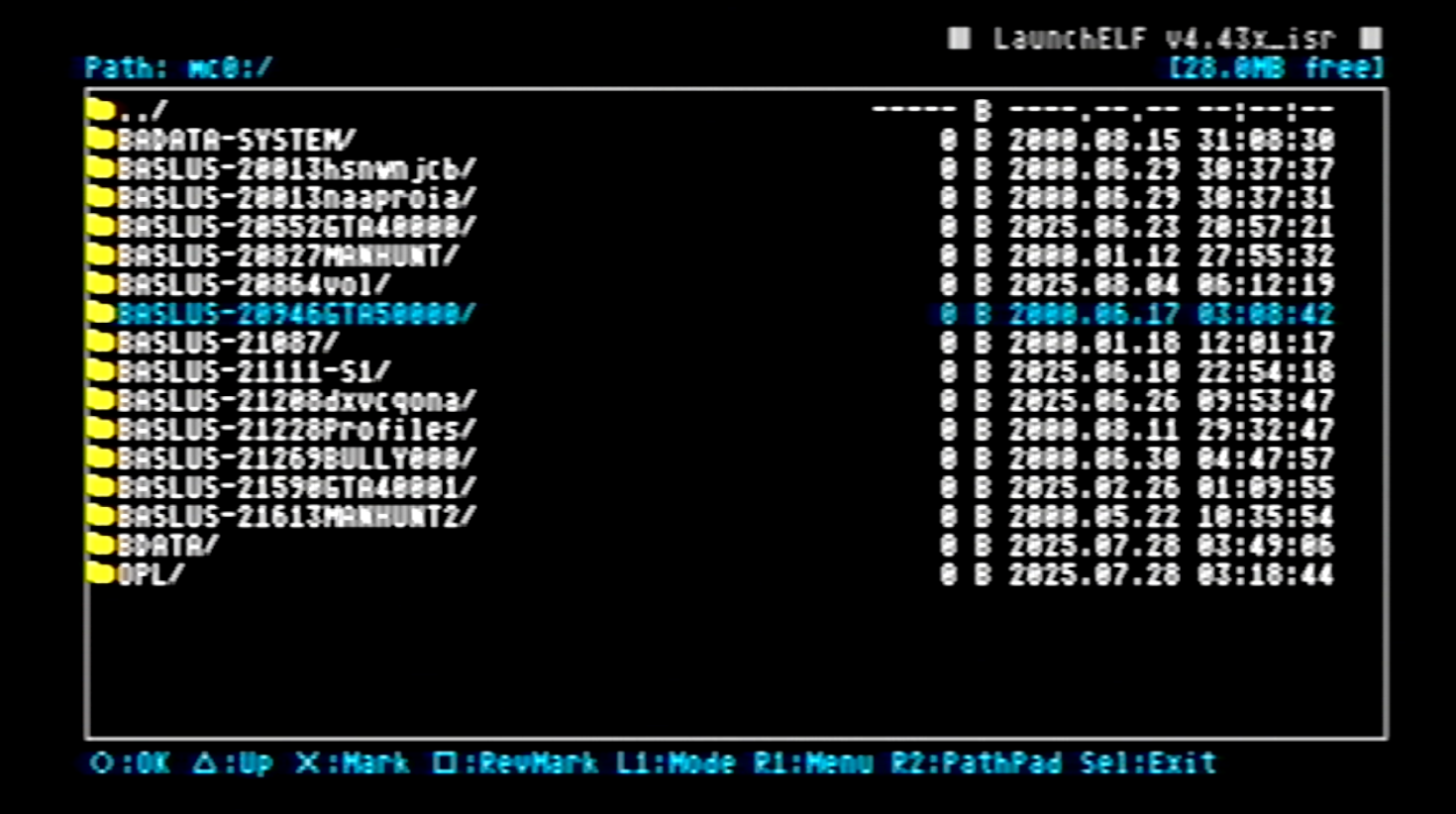
You'll find your save files within this directory.
-
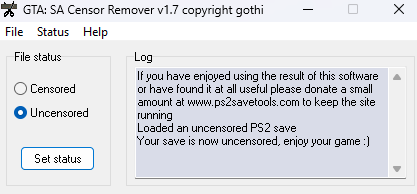
You will receive a success message after completing the process.
- Play a bit of San Andreas and create a save file.
- Launch uLE/wLE with both your memory card and flash drive inserted into the PlayStation.
- Navigate to the mc0 (or mc1) directory. Find the San Andreas save folder - SLUS code: 20946.
- Copy and psupaste the save (file extension .b) onto the mass directory (your USB drive).
- Insert the flash drive into your PC. Download the censor remover tool here, run it, and navigate to the save file on your USB.
- Within the application, click on uncensored and set the status.
- From here, you eject the USB from your PC, insert it back into your PS2, you return to uLE/wLE.
- Copy and psupaste the save file from the mass directory back to the memory card directory. Effectively overwriting it.
Access via PCSX2
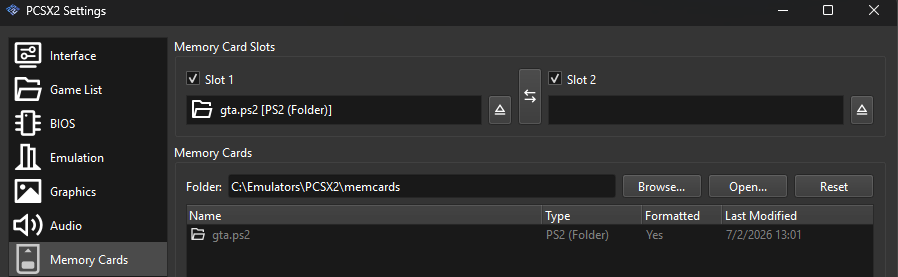
Instead of creating a memory card with a specific file size limit, you create the folder structure version in the PCSX2 memory card options.
- This makes your saves compatible with the censor remover application.
- Click here to download the censor remover application.
- Open the application, navigate to your save file (always file extension .b for PS2/PC), and set the uncensored flag.
- No need to transfer the save back and forth. Once the flag’s been set, you’re done.
Access via XBOX
NOTE: This guide will assume you have the fundamental knowledge of navigating your own softmodded XBOX, and will not assist in helping you in this endeavor.
- Softmodded XBOX
- Ethernet cable
- PC running FTP software (e.g., FileZilla)
-
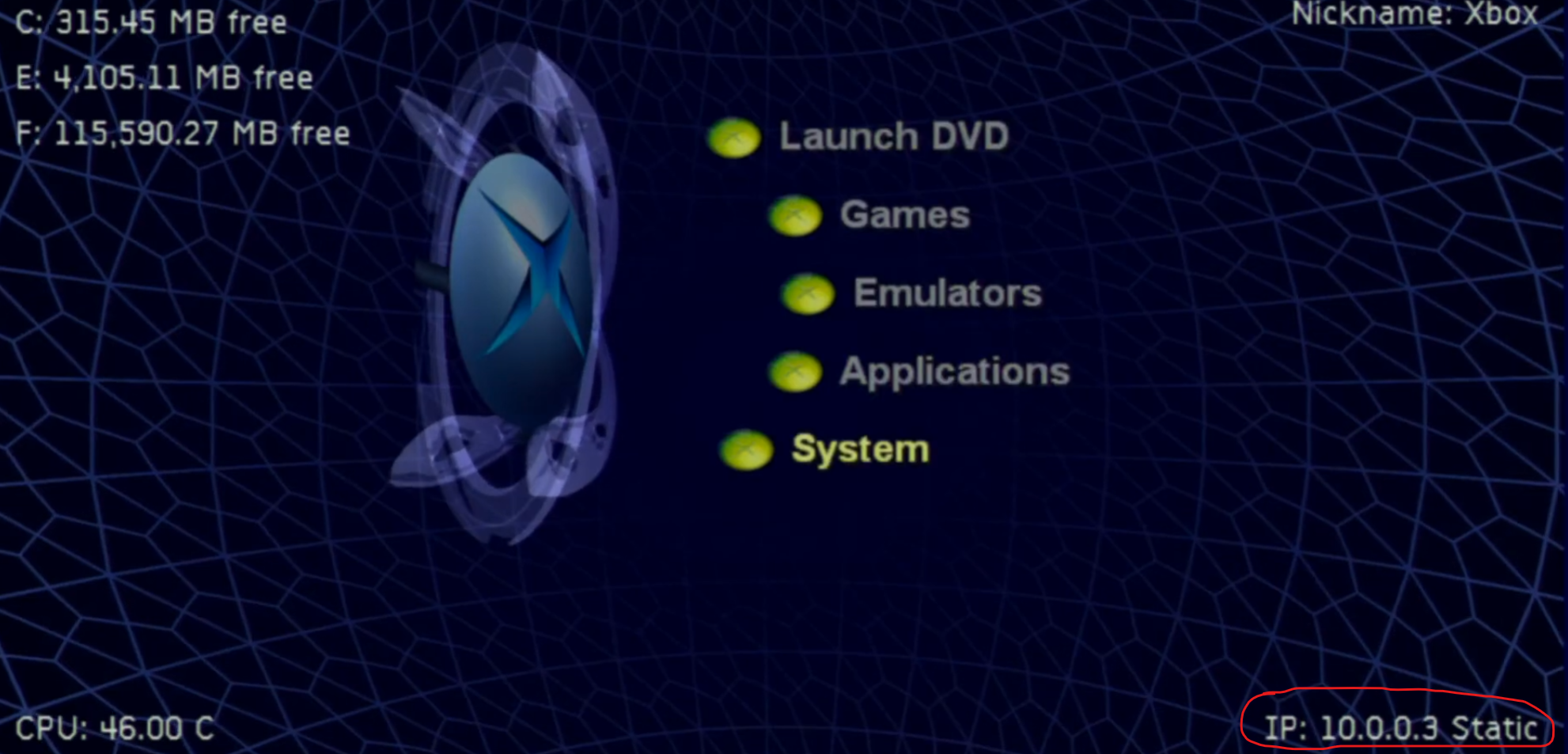
You will find your IP address in the area circled if using the UnleashX dashboard.
-

Using the IP you just gathered, use the username xbox and password xbox with the port number 21.
- Once again, play a bit of San Andreas and make a save.
- Retrieve your IP address from your custom dashboard of choice (UnleashX, XBMC, etc).
- Open up Filezilla. Use the IP address you just retrieved, with the username xbox and password xbox, use 21 for the port number.
- From here, navigate to E:\UDATA\54540082.
- Find your GTA_SA.xsv file.
- Copy it to your PC, run the censor remover application, and set the uncensored flag.
- Use FileZilla to upload the modified file back to your XBOX - effectively overwriting it.
Access via XEMU
You access the game saves similarly to the XBOX portion of this guide. It requires setting XEMU up to work with FTP. A guide on that can be found here. Other than that, it's the same exact process as the XBOX hardware.
Access via PC
Documents > GTA San Andreas User Files
This is the easiest of them all. Click here to download the censor remover application, open the application, navigate to your save (default location listed above), set the flag, done!
Known Bug (PS2 & XBOX)
On the PS2 and XBOX versions there is a small bug. After the interactive scene, you reappear stuck in an invisible box and cannot escape.
Do NOT jump at this point.
You have two options:
-
Escape the Box Unharmed (provided by Biggie)
When you exit a girlfirends house after bonking, CJ will get stuck in the so called "death box." Here is an easy fix:
- Find a vehicle near you (most of the girls have cars) by pressing Y (triangle on the PS2).
- CJ will start to run, but he won't move. Once you know which car CJ is locking onto, end the running by holding back on the L-stick.
- Shoot the vehicle until it catches fire, then hit Y (triangle on the PS2) to get CJ running at it again. Once the car blows up, CJ is free again.
Please note: that you do not need to press towards the vehicle whilst it is burning, just face it and press the Y/triangle button - CJ will run towards it automatically.
-
Enter a Suicide Code (last resort)
PS2: Right, L2, Down, R1, Left, Left, R1, L1, L2, L1XBOX: Right, White, Down, RT, Left, Left, RT, LT, White, LTPC: GOODBYECRUELWORLD
Enjoy Your Coffee!
That's it! That's all there is to it. Enjoy your AO-rated San Andreas in all of its glory!
I can verify that I have accessed the minigame on legitimate PS2 & XBOX hardware, PCSX2 & XEMU, and PC using the methods outlined in this guide.
NOTE: You can remove the censor patch at any time by simply running your save through the censor remover program again if you so desire, and setting the censored flag.